
Spider Solitaire Deluxe® 2
Murka Games LimitedCard
3.72.39K Reviews
- Version
- 4.84.1
- Installs
- 1.00M
- Age Rating
- Everyone
Screenshots
Our Review of Spider Solitaire Deluxe® 2
 Analysis by Appyee
I spent time with Spider Solitaire Deluxe® 2 as a straightforward card game for short breaks, quiet evenings, and anyone who enjoys building a game around concentration rather than fast reactions. It is a free Spider Solitaire title from Murka Games Limited, and its basic appeal is easy to understand: you arrange cards into descending sequences, manage suits carefully, and try to clear the table without wasting useful moves. The familiar rules make it approachable, but the way the board fills and the need to plan several moves ahead give it more depth than a quick glance suggests.
What interested me most was not whether it reinvented solitaire, because it does not try to do that. Instead, I looked at how comfortably it works for different people and situations. Can someone with tired eyes follow the board? Is it manageable for a player who dislikes hurried controls? Does it remain practical when used one-handed, in a noisy room, or during a short pause away from home? My overall impression is positive for relaxed players who want a traditional card puzzle, although the experience has limits for people who need highly adjustable presentation or who dislike the interruptions and purchase prompts common in free mobile games.
How comfortably the game supports different players
I find the game’s strongest point is how its familiar card layout keeps the focus on deliberate choices rather than quick reactions. In this section, I look at what that means for readability, touch control, and comfort across different players, including where a small screen can make the experience harder. That practical perspective also sets up the next section’s closer look at how the board feels during everyday play.
Readability and navigation on a busy card table
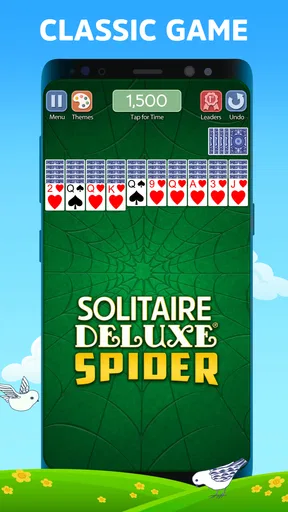
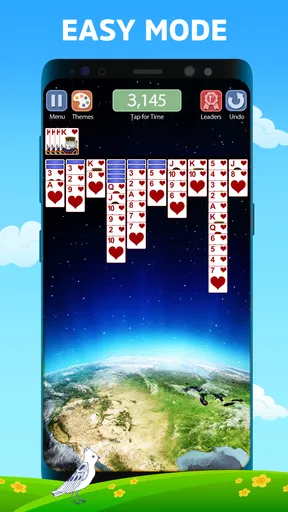
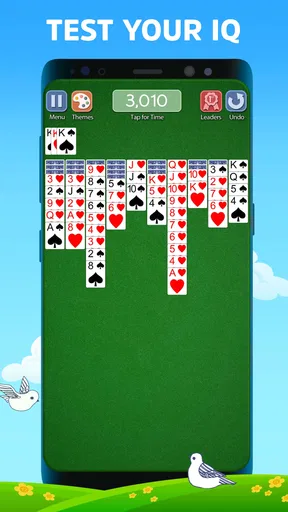
The central board is naturally easier to understand than many mobile game interfaces because Spider Solitaire already has a clear visual language. Face-up cards show the immediate choices, face-down cards mark what still needs to be uncovered, and completed runs provide a visible sense of progress. I found that this structure reduces the amount of navigation needed: most of the time, I could focus on the card layout rather than search through menus.
That simplicity matters for players who do not want a complicated interface. A person opening the game for the first time can generally recognize where the action is and begin experimenting with card movements. The game belongs firmly to the card category, so it feels more like handling a digital deck than learning a large rules system. If you already know Spider Solitaire, the transition is especially gentle.
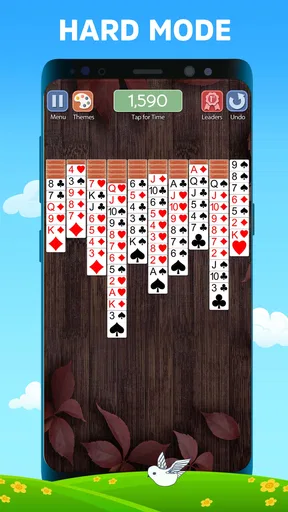
Still, readability is not only about whether the symbols are recognizable. Spider Solitaire places several columns close together, and the lower cards in a long stack can become visually dense. On a smaller phone, I sometimes had to pause and inspect the column before deciding which card was actually available. That is not a serious flaw, but it makes screen size relevant. A larger display is more comfortable for players with reduced visual sharpness or anyone who prefers not to squint at compact card faces.
I also recommend playing with the phone held steadily rather than trying to make rapid moves while walking. The game is not designed around speed, so there is little benefit in rushing. Taking a second to identify the exposed card, the destination column, and the possible follow-up move makes the board easier to read and reduces accidental taps.
The navigation outside the table is less important to the core experience, but it can still affect comfort. Free games often place extra screens around the main activity, and this one is best approached with the expectation that the actual card table is the reason to stay. I would not choose it for someone who wants an entirely distraction-free interface. For a player who is comfortable closing promotional screens and returning to the board, the basic flow remains manageable.
Controls, motor effort, and sensory comfort
Spider Solitaire is a good match for people who prefer deliberate touch interaction over quick reflexes. The game does not ask me to steer a character, follow a rapidly changing target, or press buttons in rhythm. My hands can move at a calm pace, and I can think before committing a card. That makes it suitable for a coffee-break session when I want something engaging without the pressure of an action game.
The main motor challenge comes from precision. Cards are arranged in columns, and a tap or drag needs to land on the intended card or stack. When the columns become crowded, choosing a particular card can require more care than the rules themselves. Players with limited finger control may find that a larger phone or tablet gives them a more forgiving working area, while a small phone can make neighboring columns feel cramped.
I prefer treating each move as a two-step action: first identify the sequence I want to move, then place it deliberately rather than swiping quickly. That habit is useful because a careless touch can alter the position I was studying and force me to reconstruct the plan. It also makes the game more comfortable for anyone whose hands tire during extended play. The absence of time pressure means there is no reason to turn a thoughtful puzzle into a dexterity test.
For sensory comfort, the card format has an advantage over games filled with flashing effects or constant motion. The board remains the focus, and the mental workload comes from arranging cards rather than tracking a moving scene. I found it easier to use during quiet periods because the experience does not depend on sound to explain every important event. That said, people who are sensitive to visual clutter may still dislike a crowded tableau, especially late in a difficult deal.
I would be cautious about recommending it to someone who needs very large text, unusually strong contrast, or extensive customization of the card display. The game is readable in ordinary use, but I would not assume that every player will find the presentation equally comfortable. Anyone with significant vision or motor limitations should test the board on their own device before committing to long sessions.
Using it in ordinary situations
This is at its best in situations where I have a few uninterrupted minutes but do not want to start a large game. I can play while waiting for an appointment, during a commute when seated, or at home after finishing a task. A typical session for me begins with one available sequence, followed by a decision about whether to expose a hidden card or preserve a useful arrangement. That small loop gives the break a clear focus without demanding a long story or a complicated setup.
It also works well for players who enjoy routine. Someone who likes a daily mental exercise may appreciate returning to the same recognizable rules and gradually becoming better at spotting safe moves. The brain-training angle should be understood in a modest way: the game encourages attention, planning, and visual sorting, but it is still a solitaire game rather than a formal assessment of cognitive ability.
One practical tip is to avoid playing when you are dividing your attention between the board and another task. Because the game is slow, it is tempting to make moves while watching television or talking with someone. That can lead to decisions based on the first available placement instead of the best long-term arrangement. If the goal is relaxation, that may not matter. If the goal is solving the deal efficiently, a few minutes of focused play is better.
One-handed use is possible in principle because the game is turn-based rather than fast, but comfort depends heavily on the phone. Reaching across a wide screen can be awkward, particularly when the active columns sit toward the opposite edge. I found that using both hands for the board and one hand for menu controls felt more reliable. This is a small but meaningful distinction for people who regularly play while holding a drink, a rail, or another object.
The age rating of Everyone makes the game suitable for a broad household audience. That does not mean every family member will enjoy it equally. Younger players may find the slow pace less exciting than a colorful action title, while older players who already know Spider Solitaire may value the familiar rules and low learning curve. Its appeal is strongest among people who like quiet problem-solving and do not need constant novelty.
Where the free model affects the experience
The game costs nothing to start, which lowers the barrier for someone who simply wants to try a digital Spider Solitaire table. It has reached over a million installs, so it is clearly not an obscure experiment. Its average rating is 3.7 from around twelve thousand ratings, with roughly two and a half thousand written reviews. I read that combination as a sign of a recognizable but not universally loved experience: enough players find it worthwhile, while others are likely reacting to presentation, monetization, or the limits of the format.
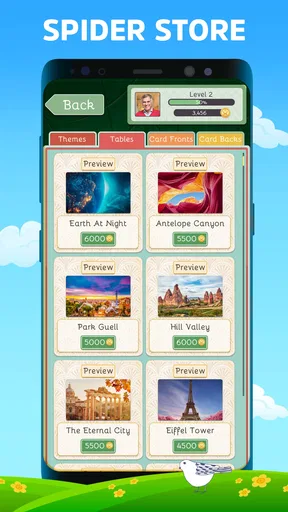
In-app purchases range from about five dollars to around fifty dollars per item. That is important for anyone choosing the game for a child or for a player who prefers to avoid spending inside free apps. I would begin with the free experience and decide whether the ordinary play loop is comfortable before considering any purchase. Paying should be a personal convenience decision, not something a new player feels obliged to do in order to understand the game.
The free-to-play structure can also affect sensory and situational access. If a player is easily distracted by promotional material, interruptions may be more tiring than the card puzzle itself. A person using the game for a calm bedtime routine may prefer a paid solitaire alternative with fewer commercial elements, even if that alternative offers less visual polish or fewer extras. In my view, this is the clearest case where the usual alternative can be better: a simple offline solitaire app may provide a quieter environment for someone who values uninterrupted concentration above everything else.
Another trade-off involves convenience versus control. A free title is easy to install and test, while a paid app may offer a more predictable experience from the beginning. Spider Solitaire Deluxe® 2 makes sense when I want to explore without paying first. It is less compelling for someone who already knows exactly what they want and is willing to pay upfront for a minimal interface.
What can still create barriers
The largest remaining barrier is not the solitaire rule set; it is the physical presentation of a dense card layout on a small touchscreen. Players with reduced vision may struggle when several columns overlap or when card details become small. Players with limited dexterity may find precise selection difficult. Since the game is built around arranging cards rather than choosing from a simple list, these issues can affect the core activity rather than an optional feature.
I also would not describe the game as ideal for people who need a highly configurable accessibility experience. My recommendation is based on ordinary usability, not on any accessibility certification. If you rely on a screen reader, specialized touch settings, strong magnification, or a particular color treatment, check how the game behaves with your device’s own tools before making it your main card game.
Environmental factors matter too. Glare can make a phone screen harder to inspect, and a crowded public setting can make careful planning frustrating. The game is forgiving about time but not about attention. In a noisy room, I can still play because the board carries the essential information, yet I may make poorer decisions if I keep looking away from the screen. For a player with sensory fatigue, shorter sessions are likely to be more comfortable than extended attempts to clear multiple deals.
There is also a psychological barrier for people who dislike losing progress through an unfortunate sequence of moves. Spider Solitaire can punish an early decision several turns later, and the board may reveal that a seemingly useful move blocked a better one. I enjoy that consequence because it gives the puzzle meaning, but someone seeking guaranteed success or a purely relaxing card activity may prefer a gentler solitaire variant.
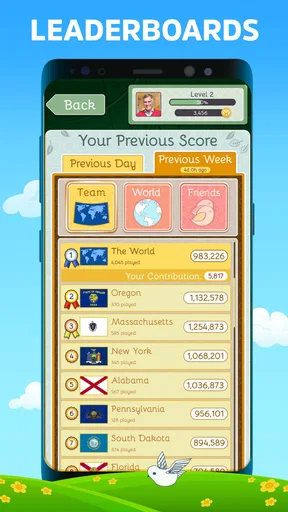
Players who want multiplayer competition, a social community, or a strong progression system should skip this one. Its value is in the solitary puzzle itself. Likewise, anyone looking for a game that teaches card strategy in a structured course may find the experience too hands-off. I learned by experimenting and noticing patterns, not by following a detailed lesson plan.
How it compares with familiar solitaire alternatives
Compared with Klondike Solitaire, Spider Solitaire usually asks for more patience because arranging sequences by suit and exposing hidden cards can create longer chains of consequences. I find it more satisfying when I want a planning puzzle, but less suitable when I want a quick, almost automatic card game. A basic Klondike app may be better for a first-time player who wants the simplest possible introduction to digital solitaire.
Compared with FreeCell, this game feels less transparent. FreeCell often gives the player more visible information from the start, while Spider Solitaire makes uncovering the hidden layout a central part of the challenge. That hidden information creates suspense, but it can also make a failed attempt feel less predictable. Players who enjoy analyzing an open board may prefer FreeCell; players who like gradually revealing options may prefer this game.
Compared with a physical deck, the mobile version removes setup, cleanup, and the need for a large table. That is a real advantage when I have only a phone available. The trade-off is tactile feedback: moving a digital stack does not feel as satisfying as handling actual cards, and the screen can become visually cramped in a way a table usually does not. A physical deck remains the better choice for someone seeking a screen-free activity or a shared game with another person.
Compared with paid solitaire apps, the strongest reason to choose this title is the ability to start free. The strongest reason to choose an alternative is a preference for fewer interruptions, more display controls, or a cleaner one-purpose interface. I would not switch simply because another app has a different name; I would switch when the board is uncomfortable on my phone or when the free model gets in the way of the calm experience I want.
My inclusive verdict
After using it as both a casual time-filler and a focused card puzzle, I see Spider Solitaire Deluxe® 2 as a solid option for players who want familiar rules, deliberate touch controls, and a game that works in short sessions. Murka Games Limited has kept the central activity recognizable, which helps people who do not want to learn a complex interface before they can play. The current version is 4.84.1 and supports devices running Android 6.0 or later, making it practical for many older Android phones as well as newer ones.
I would recommend it to someone who enjoys quiet concentration, wants to try Spider Solitaire without paying upfront, and can comfortably read a compact card layout. It is especially suitable for seated breaks, relaxed solo play, and players who prefer planning over reflexes. The Everyone rating also makes it a broadly approachable household game, although the actual difficulty and visual density may still make it a better fit for older children and adults who enjoy patient puzzles.
I would steer away from it if you need extensive accessibility customization, cannot comfortably select cards on a small touchscreen, or want a completely interruption-free experience. In those cases, a paid or more specialized solitaire app may be a better investment. I would also choose a different card game for multiplayer interaction or a more guided learning path.
My final judgment is that this is a useful, approachable Spider Solitaire game with a few important qualifications. The best experience comes from treating it as a calm, focused puzzle rather than a fully customizable accessibility tool. Start with short sessions, use a larger screen when possible, move cards deliberately, and judge the free experience before spending anything. For the right player, that is enough to make it a dependable companion for small pockets of time; for anyone needing maximum control over presentation or monetization, the alternatives are worth comparing first.
Verdict
Strengths of Spider Solitaire Deluxe® 2
- Smooth, responsive controls make card placement quick and comfortable.
- Multiple difficulty levels suit both casual players and experienced solitaire fans.
- Clear card designs remain easy to read on smaller phone screens.
- Helpful undo options let you recover from accidental moves.
- Offline play makes it useful during travel or without mobile data.
Limitations of Spider Solitaire Deluxe® 2
- Some features may be restricted unless you purchase the full version.
- Ads can interrupt the experience, especially between completed games.
- Random deals may occasionally feel repetitive during longer sessions.
- Small interface buttons can be tricky to use on compact displays.
- Limited social features offer little interaction beyond personal scores.
Other Releases by Murka Games Limited
View All

Similar Picks in This Category
View All
Solitaire - Classic Card Games
MobilityWare4.6

UNO!™
Mattel163 Limited4.3

Spider Solitaire: Card Games
MobilityWare4.6

Solitaire.com - Classic Cards
Tripledot Studios Limited4.7

Plants vs. Zombies™ Heroes
ELECTRONIC ARTS4.1

Hearthstone
Blizzard Entertainment, Inc.4.1
Frequently Asked Questions
What is Spider Solitaire Deluxe® 2, and how is it played?
Spider Solitaire Deluxe® 2 is a digital version of the classic Spider Solitaire card game. The main objective is to arrange cards in descending order within the tableau and build complete sequences of the same suit, from King down to Ace. Once a sequence is completed, it is removed from the playing area. The game usually offers different difficulty levels, making it suitable for both beginners and experienced solitaire players.
Is Spider Solitaire Deluxe® 2 free to download and play?
The game can generally be downloaded and played without an upfront purchase, although the exact availability of free features may depend on the Android or iOS version. Some editions may include advertising, optional in-app purchases, or premium features such as ad removal, extra themes, hints, or additional customization options. Before downloading, it is worth checking the store listing for current pricing and purchase details.
Does Spider Solitaire Deluxe® 2 work without an internet connection?
Spider Solitaire Deluxe® 2 is primarily a single-player card game, so the core gameplay can usually be enjoyed offline after installation. This makes it convenient for flights, commutes, or places with limited connectivity. However, certain functions—such as advertisements, cloud synchronization, online leaderboards, updates, or promotional content—may require an internet connection, depending on the version installed on your device.
What features and difficulty options are included in the game?
The game typically includes several Spider Solitaire variations based on the number of suits, with one-suit games being easier and four-suit games providing a much greater challenge. Players may also find features such as undo moves, hints, deal options, statistics, daily challenges, customizable card designs, backgrounds, sound controls, and different display settings. Available features can vary between platforms and app updates.
Is Spider Solitaire Deluxe® 2 suitable for beginners and older devices?
Yes, Spider Solitaire Deluxe® 2 is generally accessible to new players because easier one-suit or two-suit modes help explain the basic strategy gradually. The controls are usually simple, relying on taps or drag-and-drop gestures. Since it is a card game rather than a graphics-intensive title, it should run smoothly on many modern Android and iOS devices, although compatibility and performance depend on the operating system version and device model.
Play our best games!


